
Our Products
Headend Systems (SMATV) for Commercial Properties
- Free-to-Guest TV Solutions for hotels, motels, hospitals, dormitories, nursing homes, marinas, RV parks, and lodges.
- Custom SMATV (Headend) systems designed, engineered, and installed to fit your property’s needs.
- Delivers satellite programming through your existing cable infrastructure.
- Create a customized channel lineup tailored to your guests and budget.
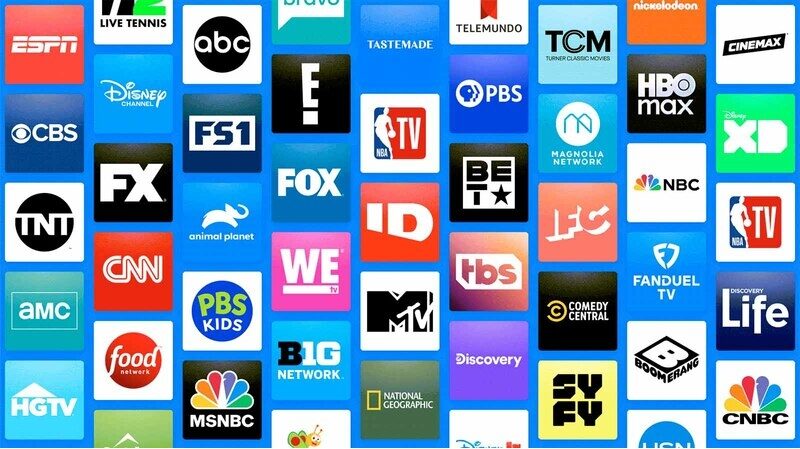
- Access popular channels including ESPN, CNN, HBO, Discovery, plus international programming.
- Add local channels, pay-per-view (VOD), and closed-circuit TV options.
- Bulk programming packages help reduce costs and improve your bottom line.
- Reliable service, flexible channel options, and value-driven solutions.
Benefits of SMATV System
Here are the highlights of the SMATV System:
- Access to hundreds of channels, customized to your property
- No need to re-cable your property (save the expense)
- Digital Technology
- High Definition Programming
- Monthly Savings over Cable
- Great functioning options available We work with you every step of the way to make sure you get the system, programming and service that is right for your property. References are available upon request.
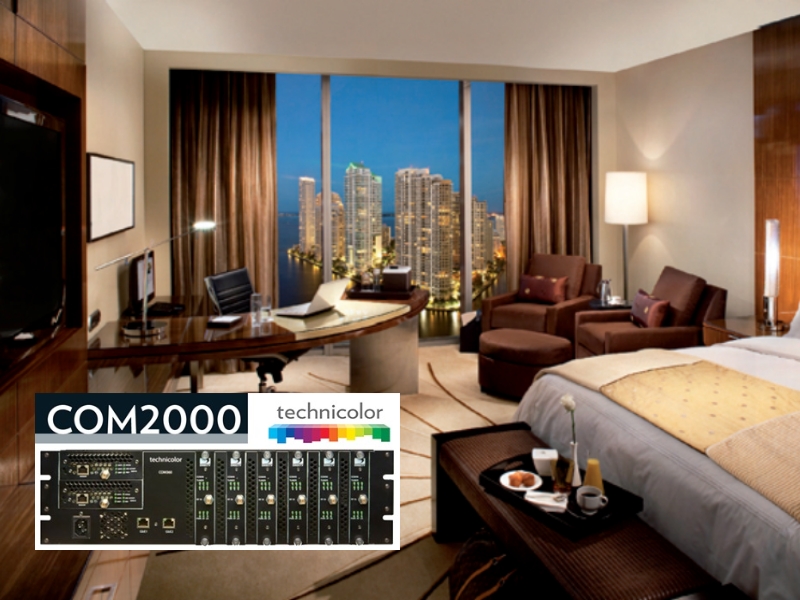
COM2000 Satellite Free-to-Guest Headend System
The COM2000 can be managed and monitored remotely over the internet or local network using a simple web-browser based management interface. Pro:Idiom™ or LYNK™ content protection for HD broadcasts
COM1000 HD & Standard Free-to-Guest Headend System
Technicolor, world-wide leader in video technologies, presents the COM1000 High-Definition and Standard- Definition satellite head-end solution designed specifically to serve the Hospitality “Free-to-Guest” market.
LG PROIDIOM Digital Management System
The finest and smartest mode of control and customization for Hotel TVs, LG Pro:Centric® Smart offers all the customizable tools needed to optimize a property’s TVs. With this expansion of control comes the ability to provide premium hotel services without the need for a set-top box. Remotely manage cloning and channel mapping for TVs in guest rooms.
IPTV
Our IPTV solution reduces hardware maintenance costs and allows you to upsell amenities directly through the guestroom welcome screen.
Internet Protocol Television (IPTV) is a digital content delivery system that uses broadband networks — no satellite dishes or cable infrastructure required.
What is IPTV?
IPTV is used to deliver TV programming and services through your property’s internet service or LAN (Local Area Network) connection. IPTV uses data, CAT 5 or CAT 6 cables rather than the coaxial cables commonly used by satellite or cable television companies.
IPTV for Video On-Demand
IPTV offers streaming media options for Video on Demand (VOD) which can be used to generate revenue for your hotel property. IPTV also offers show replays and time-shifting, so previously aired TV shows can be played at any time.
Hotel Welcome Screen / Property Channel
IPTV offers you the ability to have a branded and customized welcome screen for your guests.
Integrated and Customized Content with IPTV
IPTV offers a completely integrated content delivery system to your guest room TV’s. Besides a custom property channel, you can include other customized content, such as:
- Guest information services
- Property amenities
- Local tourist attractions
- Business partner affiliate advertising
- Billing Services
- Other relevant content to your hotel guests
What is the difference between Internet Television and IPTV for hospitality properties?
IPTV is different from Internet Television because IPTV properties have their own on-site distribution equipment which delivers content to multiple rooms. IPTV for hospitality properties requires subscriber-based TV programming (cable television programming, satellite television programming) and high speed internet access.
How is the content delivered to guest room TV’s?
IPTV content is delivered directly from your property’s headend system to your guest rooms through your LAN data or CAT 5 / CAT 6 cables.
Will I need set-top boxes for each guest room television?
No. Because it is an internet-based system, no set-top boxes or special cards are required.
Does IPTV work with our High Definition TV’s?
Yes. Your High Definition (HD) TV signal will be successfully delivered over your property’s cable network from the headend system.
Systems We Offer
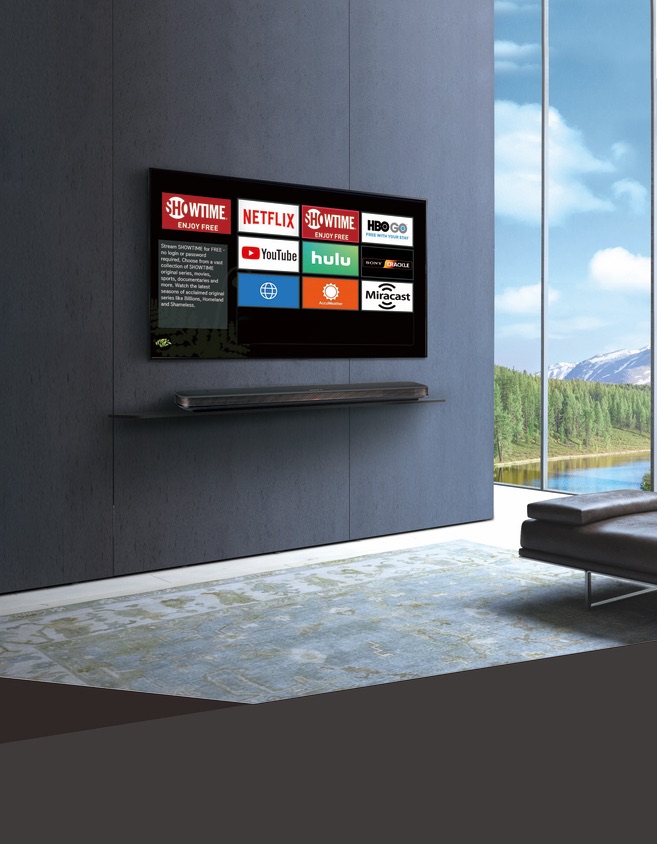
We offer cutting edge hardware solutions including AEP with streaming capabilities, COM systems, and DRE systems — all designed to keep your property current and future ready.
Advanced Entertainment Platform (AEP)
AEP offers streaming capabilities with a customizable Property Information App that helps you upsell every time a guest turns on the TV.
COM System
A compact, energy efficient solution for hotels, inns, senior living communities, and hospitals. Remote troubleshooting is available, and we can brand and program information directly
into the banner.
DIRECTV Residential Experience (DRE)
A versatile system for properties with 10 to 10,000 rooms, supporting homerun or loop through wiring. Includes HD receivers with an enhanced HD interface and easy to clean remotes.
Channel Lineup/Programming Section
Key Benefits:
- Cut Your Cable Costs: Custom, budgetfriendly channel lineups using your
existing wiring. - Bulk Programming: Save money and increase your bottom line immediately.
- Streaming Capabilities: Access a wide variety of streaming services.
Description
Your system will support a wide range of channels, including domestic cable networks (ESPN, CNN, HBO, Discovery), international programming, streaming services (Netflix, Paramount, Showtime), local off air channels, pay-per-view, video on demand (VOD), and closed circuit TV.
We understand your requirements to provide the best channel lineup, service, and value— all within your budget. Save and increase your bottom line NOW!
TVs and TV Mounts
We are a leading national value added re-seller (VAR) of HD Hospitality and Commercial Televisions, including Samsung, LG, Philips, Panasonic and other leading brands. If you require Pro:Idiom television sets, not a problem. We will be glad to provide you with competitive quotes. Financing is available.
We are Your Hospitality and Commercial Television Connection
Ask us about our Pro:Idiom MPEG Commercial and Hospitality LCD and LED Televisions.
Televisions Currently Offered
Click on model for specifications.
- Samsung 32″ LED Smart TV
Samsung 55″ LED TV
Samsung 60″ LED TV - LG Commercial TV Catalog
LG Pro:Centric Smart, V, and Commercial Televisions
LG 42″ LCD 42LK450 Television
LG 47″ LED 47LW5700 Television - Panasonic 42″ LCD HD Television
Panasonic 50″ HD Plasma Television
Panasonic 65″ Full HD Plasma Television - RCA 22″ 28″ 32″ 42″ Commercial Series LED HDTV
RCA 32″ 40″ 55″ Commercial Value Series LED HDTV
Hospitality Televisions Offered
- LG LT670 Series 26″ 32″ 37″ 42″ Widescreen Pro:Centric Hospitality TV
- LG LD340 Series 26″ 32″ 37″ 42″ Widescreen Pro:Centric Hospitality TV
- LG Pro:Centric™ LED Backlit 26″ 32″ 37″ 42″ 55″ LV555H Series Hospitality HDTV
- LG Pro:Centric™ LCD Widescreen LD665H Series 32″ 37″ 42″ Hospitality TV
- LG Pro:Centric™ LCD Widescreen LG710H Series 32″ 37″ 42″ Hospitality TV
- LG Pro:Centric Slim LED LY750H Series 32″ 37″ 42″ 47″ 55″ Hospitality TV
- Philips 32″ HFL4663S/F7 LED Hospitality TV
- Philips 39″ HFL36845/F7 LED Hospitality TV
- Philips 39″ HFL5784D/F7 LED Hospitality TV
- Philips 46″ HFL3684S LED Hospitality TV
- Samsung 670 Series LED Hospitality TV
- Samsung 678 Series LED Hospitality TV
- Samsung 22-46″ Interactive, SMART TV, Pro:Idiom, LYNK Options
- RCA 32″ 40″ 42″ Hospitality Value Series LED HDTV
- RCA 22″ 28″ 32″ Long Term Care Series LED HDTV
- RCA 14″ TV for bathroom areas
- RCA TV Special Offer through 6/30/2015
TV Mounts
Televisions
Phillips Hospitality Television
Works with a wide variety of commercial television systems – enabling easy upgradeability to the most advanced PPV. SPI data port gives compatibility with all key PPV systems Guest experience
Samsung LED Smart TV
You’ll never miss a moment with this 50″ LED Smart HDTV. Smart Content includes new ways to explore and locate your favorite shows, movies games and more.
LG Pro:Centric Televisions
Commercial Smart Home(Launcher) – Smart Connectivity(QR Pairing) – Remote Diagnostics – Connectivity (Miracast, MHL). Pro:Centric Application.
Remote Controls
DIRECTV Remote Control Set Up and Troubleshooting
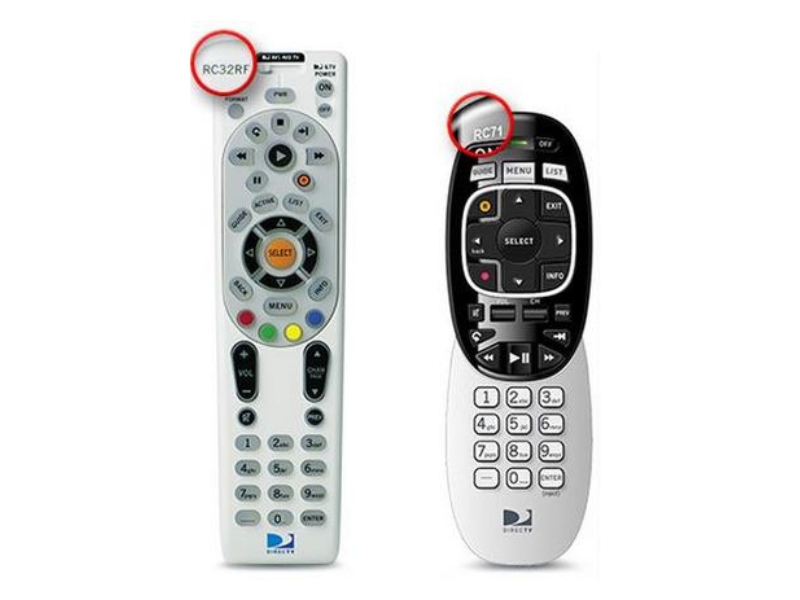
If you need to program your DIRECTV universal remote control, here are some easy step by step directions. The model number is printed in the upper-left corner of your remote. Select the remote control model that matches your remote for more information.
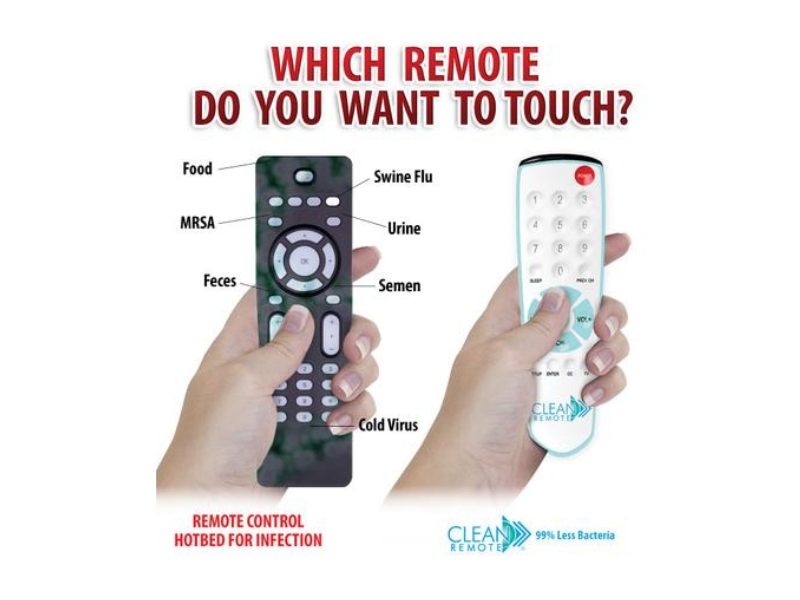
Did you know that over 89% of Nursecall TV remotes culture positive for microbial contamination?
- Give your hotel, hospital, healthcare or assisted living facility the upper hand in clean entertainment. Did you know that over 89% of Nursecall TV remotes culture positive for Microbial Contamination? Television remotes can often spread MRSA, SARS, and the cold virus.
- The Clean Remote is invaluable to your multi-unit property because it is easy to clean and is made from a non-porous material that is resistant to germs and bacteria.
- The Data: 89.6% of hospital bed handsets culture positive for microbial contamination.
- The Source: Microbial Contamination of Hospital Bed Handsets, Texas Tech University
Health Sciences Center School of Medicine.
Setting Up the Technicolor Setback Box DCI-401 Remote
Setup Remote to Control the Digital Adapter
RF Remote Pairing Process
When multiple remotes work in a shared space, interference can result. To avoid this problem, the remote must be paired with the Digital Adapter.
Step 1
Turn on your TV using the buttons on the TV or the TV remote.
Make sure power is connected to your Digital Adapter and it is plugged into the TV.
Note: Your TV must always be set to the proper channel (Ch 3 or Ch 4) or HDMI input to match the output channel on the back of your Digital Adapter.
Step 2
Install the batteries (included in your kit) in your new remote control.
Step 3
Make certain no other Digital Adapter remote is in the area.
Make sure power is connected to your Digital Adapter.
Turn on your TV using the buttons on the TV or the TV remote (not a digital adapter remote in this instance).
Step 4
Press and hold both DTA POWER and SELECT keys at the same time.
Once the red light on the remote turns on, release both keys.
Wait 10 seconds; a 3-digit validation code will display on the TV screen.
Step 5
Enter the 3-digit code using the Digital Adapter remote.
When the remote is successfully paired with the Digital Adapter, the remote’s red light will blink twice.
Setup Remote to Control the Television
Step 6
Press and hold both Digit 1 and Digit 3 keys together until the red light turns on.
Release both keys.
Keep your eyes on the remote so you can watch the red light.
Step 7
Point the new remote at the TV.
Press and hold the TV POWER key.
The remote will start searching for the right code while you are holding this key.
When the TV turns off, release the key within 2 seconds to lock in the code.
Step 8
Point the new remote at the TV.
Press TV POWER on your remote to turn on your TV.
If your TV responds (turns on), then you have successfully programmed your remote.
The setup of the Remote is now complete.
If you are not successful the first time, try again.
Two Remotes
If you were unable to program your remote, you will need two remotes to operate your TV:
The Digital Adapter Remote
The one that came with your TV
Setting the Remote Volume
Use the remote control that came with your TV to control the volume.
Going forward use only your Digital Adapter Remote to adjust volume up or down.
Caution
Don’t use your TV remote to change channels.
Your TV must always be set to the proper HDMI input, Ch 3 or Ch 4, or you will see a snowy or blank screen.
Important Safety Instructions
- Read and follow all instructions.
- Keep these instructions.
- Heed all warnings.
- Clean only with a dry cloth.
- Do not install near heat sources.
- Protect the power cord from being walked on or pinched.
- Use only attachments/accessories specified by the manufacturer.
- Refer servicing to qualified personnel.
- Do not expose batteries to excessive heat.
- Unplug the product during lightning storms or long periods of non-use.
Technical Specifications
| Item | Value |
|---|---|
| Model Type | DCI104COM1 |
| Power Usage | 5.0W (Typical) |
| Power Input | 5V DC, 1.0A |
| Dimensions (W × H × D) | 4.33 × 0.96 × 3.19 in |
| Weight | 7.7 oz |
| Operating Range | 40°F to 115°F |
| Storage Range | -4°F to 140°F |
Clean Remote
#1 Selling Remote for Healthcare
99% CLEANER
Problem
- TV Remote Controls are one of the most often touched objects in a patient’s room.
- Remote Controls are one of the most contaminated surfaces in a patient’s room. Remotes have often been tested to carry MRSA and other dangerous bacteria.
- Standard TV remotes are impossible to clean properly due to crevices and openings.
Solution – Clean Remote
- Clean Remote flat nonporous surface is easily disinfected.
- Clinically tested to carry 99% less bacteria than all other remotes tested.
- An invaluable tool in the battle against the spread of infection.
Save Money
- SPILLPROOF – Do not have to replace Remote Control every time someone spills liquid or food on remote.
- Attached Battery Door – Save money by not needing to replace often lost battery doors.
- HIDDEN Batteries – Prevents costly replacement of stolen batteries by patients.
- No Codes or Reprogramming Ever – Simple one-touch setup and remote is programmed for life.
- Works over 250 brands of TVs; no need for different remotes, the Clean Remote works them all.
- Only staff can reprogram remote if needed.
Setup Code Lists
Please find the Setup code lists below. These buttons download PDF documents containing the Setup Code Lists.
Caring for your Equipment
Recievers
Re-tune your DIRECTV Receiver at your TV Headend
Connect a TV to your TV system so you can view the receiver your are re-tuning. If you do not have a TV connected to your system already, then please secure a TV. An easy location to connect the TV to is the launch “amplifier”. Use a coaxial cable to connect the TV to the “TEST OUTPUT” port on the amplifier. Make sure you perform a CATV Channel scan on your TV to ensure you are viewing all channels from your system.
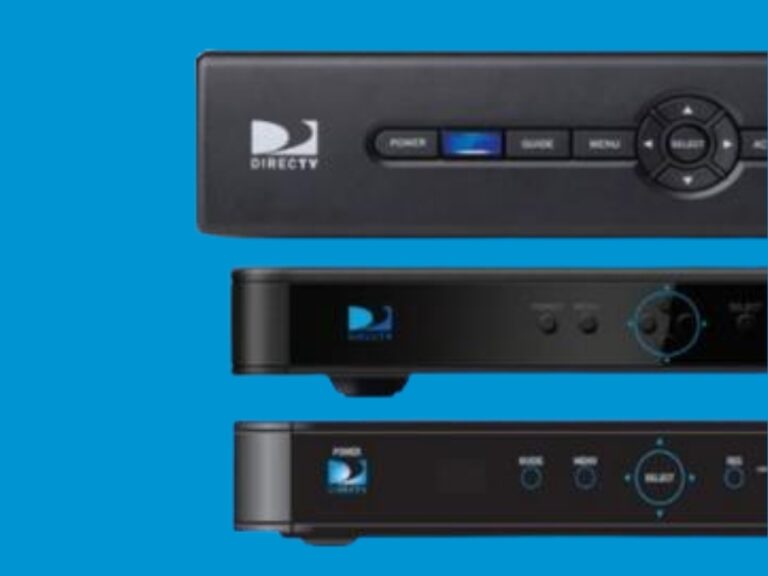
Tune your TV to the channel that you want to change (for example, if you want to re-tune channel 24 from MTV to Animal Planet, put the TV on channel 24. You will see the current channel on 24 which in this case is MTV.) Find the DIRECTV receiver that corresponds to channel 24, and press GUIDE on the front panel of the DIRECTV receiver (do not use a remote!).
The DIRECTV channel guide will appear on the TV. Press the receiver up and down arrow keys on the front panel of your receiver to find the new channel. Once you are on the desired channel (which in this case is Animal Planet), press Select on the front panel of the DIRECTV receiver: you should then see the new channel appear on the TV.
Helpful Tips
NEVER use a DIRECTV remote to re-tune your system. If you do, you will change the channel on all receivers and will have to re-tune all channels.
Notes: These instructions are for analog TV systems only and do not pertain to digital TV systems. If your TV’s are programmed to display specific channel logos and you need to change these as well, you can re-program them individually, or ask us about an installed FMA system.
Still having issues?
Call us at 8777897995
Digital Signage Solutions & Management Equipment
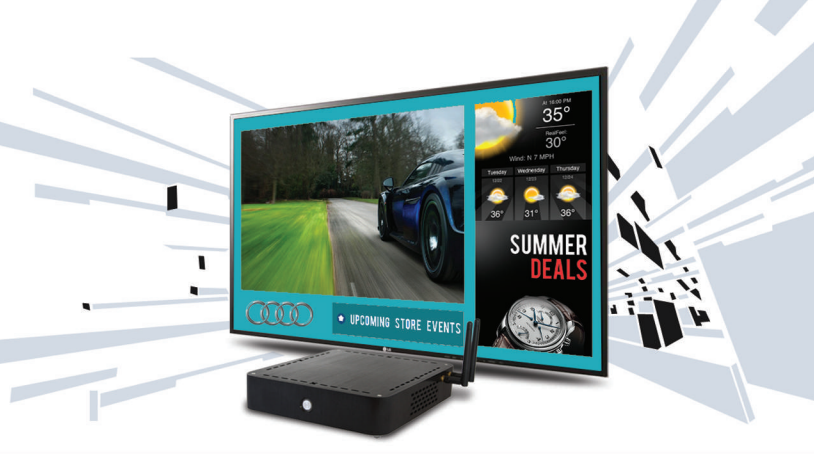
MVIX XHIBIT HD Digital System
Networkable Signage Controller with HDMI & Wireless. Robust integration with Media-RSS feeds. Solutions for the HD planet.
Features
- Networkable Signage Controller with HDMI & Wireless
- Day-parting, Robust Scheduling and Reporting
- Drag-n-Drop Grids and Zones
- Free Weather / Traffic / RSS Feeds
- Integrated YouTube, Vimeo, Twitter, Picasa, and Google
- Display Web Pages, HTML Widgets & Text Ticker
- Robust Integration with Media-RSS Feeds
MVIX CEENO Networkable Digital System
Fully-loaded Administration Tool: comprehensive control, scheduling, and management of digital media content and playback remotely over the internet. Digital Menu Boards for Restaurant, Bars, and Clubs. Digital Wayfinding, Directions, Signs, and Office Directories. Advertising System for Malls, Stores, Grocery Stores. Client or Employee Communication Systems for Offices
Wireless Presentation Gateway
Deliver Smooth Presentations Wirelessly. PLANET WPG-200N is a wireless presentation gateway. It facilitates multiple users to freely display the presentations, images, and videos via wirelessly connection to a projector or LCD TV without swapping lots of cables.
Key Features
- Up to 30 FPS Network Screen Projection Speed
- VGA / 720p HDMI Output
- 4-to-1 Split Screen Projection
- 802.11n Wi-Fi AP and AP-Client Mode
- Web Browser Management
- Audio / Video Streaming
- Plug & Show
- Windows XP / Vista / 7, Mac OS X Support
- Multiple User Access
- Compact Size for Convenient Installation and Placement
ZEEVEE DTV Receiverless HD Solutions
DirecTV Announces Receiver-less HD Solution
On July 24, 2013, DirecTV announced its Receiver-less HD Solution, leveraging ZeeVee’s encoding technology to distribute HD video using DirecTV H25 receivers and ZeeVee HD modulators.
Ideal For
- Hospitals & Healthcare Facilities
- Senior / Assisted Living Communities
- Student Dormitories
- Correctional Facilities
- RV Parks & Campgrounds
Solution Highlights
- Distributes HD video without traditional receivers at every TV.
- Supports existing coax infrastructure for simplified deployment.
- Designed specifically for use with DirecTV H25 receivers.
Available Packages
- HDb2540 Modulator + (4) H25 cables — supports up to 4 channels
- HDb2520 Modulator + (2) H25 cables — supports up to 2 channels
- 720p HD video resolution
- Component Video
- Digital / Analog Audio
- Composite Video (closed captions only)
Additional Benefit
- Proprietary AV cables engineered specifically for DirecTV H25 receivers.
ZEEVEE HD Bridge 2000 and ZEEVEE Pro
ZeeVee encoder/modulators convert video sources such as signage players and satellite receivers into digital cable channels that are broadcast over existing coaxial cabling to an unlimited number of HDTV’s.
Distribute HD video throughout your facility. Replace multiple signage players. Commercial or residential properties, like restaurants, offices, hotels, dormitories, apartments, or healthcare facilities
Key Benefits
- Supports unencrypted HDMI, Component, and VGA inputs for maximum deployment flexibility.
- Delivers high-quality video output up to 1080p/i, with support for 720p and 480p/i.
- Available in single and dual-channel configurations with a compact, fan-cooled design for reliable operation.
- Easy to install and deploy across a variety of environments.
Ideal Uses
- Distribute HD video throughout a facility.
- Replace multiple digital signage players with a centralized solution.
- Suitable for both commercial and residential applications.
Electronics
Let our team of experts provide a system design for your hotel, apartment, office, dormitory, restaurant, or business. Additionally, should you have an existing system and require parts please contact us. We supply headend, amplifiers, QAM/HDTV transcoders, drop materials and fiber gear from many of the leading manufacturers
Manufacturers
Applied Instruments, Drake, PDI, Star Route, Belden, Foxcom, Philips, Thomas & Betts, Blonder Tongue, Gilbert, Pico/Macom, Thomson, Cabletronix, Holland, PPC, VMP, CommScope, KVH, Samsung, Winegard, DirecTV, Lucasey, Sonora, Zinwell.
If your property already has televisions that are not Pro:Idiom Hospitality televisions installed, check out the Technicolor Cable Converter Set Back Box to convert to HD signal:
Technicolor COM2000
COM2000 Features & Benefits
- Supports up to 48 channels of HD or SD content in a compact 3RU chassis.
- Integrated EdgeQAM technology with support for up to 24 channels of QAM output.
- Optional Pro:Idiom™ and LYNK™ content protection for secure HD broadcasts.
- Built-in On-Screen Program Guide (EPG) and PSIP data with customizable channel names and numbers.
- Remote management and monitoring via a web browser over local or internet networks.
- Flexible QAM over IP output for a variety of deployment applications.
- Low power consumption, using less than 225 watts.
- Supports multi-chassis configurations for high channel-count installations.
- Compact design delivers significant space and power savings compared to traditional stacked receiver systems.
- Ideal for hospitality, healthcare, senior living, and large-scale commercial video distribution.
For more information about Frequency Allocation for your DIRECTV Channels of your property distribution system, view the PDF-
Free To Guest Management Appliance (FMA)
Let our LG certified technicians program your LG TV’s with an LG Free to Guest Management Appliance. Save time and money immediately.
Commercial Connect Television is certified through LG to program the Free-to-Guest Management Appliance System on your hotel, healthcare center, or business’ televisions!
LG Free-To-Guest (FTG) Channel Management Features
- Simplifies Free-To-Guest (FTG) channel configuration directly from the headend.
- Delivers customized channel lineups to guest rooms through the property’s RF distribution system.
- Enables commercial installer menu settings to be configured from the headend.
- Eliminates the need for in-room TV configuration.
- Supports channel lineup management and updates.
- Allows channel label customization.
- Identifies Pro:Idiom® encrypted content for compatible tuning.
- Designates a startup/default channel for guest TVs.
- Synchronizes time and date across all FTG devices.
- Compatible with LG FTG-compatible TVs featuring integrated b-LAN.
- Requires FTG Software v5.0 or later for configuration and management.
Wireless, Universal Charging Hotel Clock Radio
Commercial Connect TV is proud to offer the Voxx wireless audio solution for hotels. It’s a whole new way to listen to music. No pairing, no wires, no connecting. Now you can offer your guests the convenience and simplicity of listening to their smartphone music wirelessly without having to pair or connect a device.
SoudFlow Wireless Audio is as simple as pressing play on their smartphone and placing it on the soundmat. It’s just that easy! The universal Charging Station charges a smartphone or tablet (or both simultaneously) via two side-panel USB ports. SoundFlow is universal and works with current and future smartphone technology.
Benefits
- Automatic time setting
- (2) USB charging ports with up to 2.1A output for tablets and mobile devices
- Built-in AC outlet
- Cleanable membrane overlay
- AUX input connection with built-in pigtail-style cable
- Single-day wake alarm feature
- FM radio
- High-contrast, high-quality EBTN LCD display
- Flat power cord plug with a 45-degree angle for easier placement behind beds or dressers without blocking a second outlet